
LIFESTYLE
How to Use Starbucks Gift Card on App: From Add to Checkout
Learn how to use Starbucks gift card on app to pay, reload, and register a lost card, including the $500 balance cap and the $5 floor for transfers.

You have a plastic Starbucks card in a drawer, or an eGift sitting in your email, and the next drink is easier if that money is on your phone.
Add the card in the Starbucks app with its number and security code, then scan the app in the store or pick that card for a mobile order.
Knowing how to use Starbucks gift card on app also means registering it, because a lost card is replaced only if it was already on your account.
Below, you add a plastic card or an eGift, pay, reload, combine cards, and report a lost card so the leftover balance can move.
How a Starbucks Card Works in the App
The dollar value you load is a prepayment for food and drinks at participating stores. Under the Starbucks Card terms and conditions, that money is not insured by the FDIC, it does not earn interest, and it is nonrefundable unless the law requires a refund or the agreement permits one.
We do not charge any activation, service, dormancy or inactivity fees in connection with your Starbucks Card. Your Starbucks Card has no expiration date nor does the value on your Starbucks Card ever expire.
Starbucks Corporation, Starbucks Card Terms and Conditions, effective July 24, 2023
A card you forgot in a coat still holds what it held on the day you set it down. Nothing on the agreement adds an inactivity fee for letting it sit.
You can register every card you hold, and you can keep only one Rewards account. Registering pulls in the Rewards terms on top of the card agreement. The cards are not intended for anyone under 13, and ages 13 through 18 can use one only with a parent or legal guardian who agrees to the agreement.
No statement arrives in the mail. Ask for a receipt when you want the remaining balance on paper, and review recent transactions in the app or at starbucks.com/gift so a charge that is not yours is easier to spot.
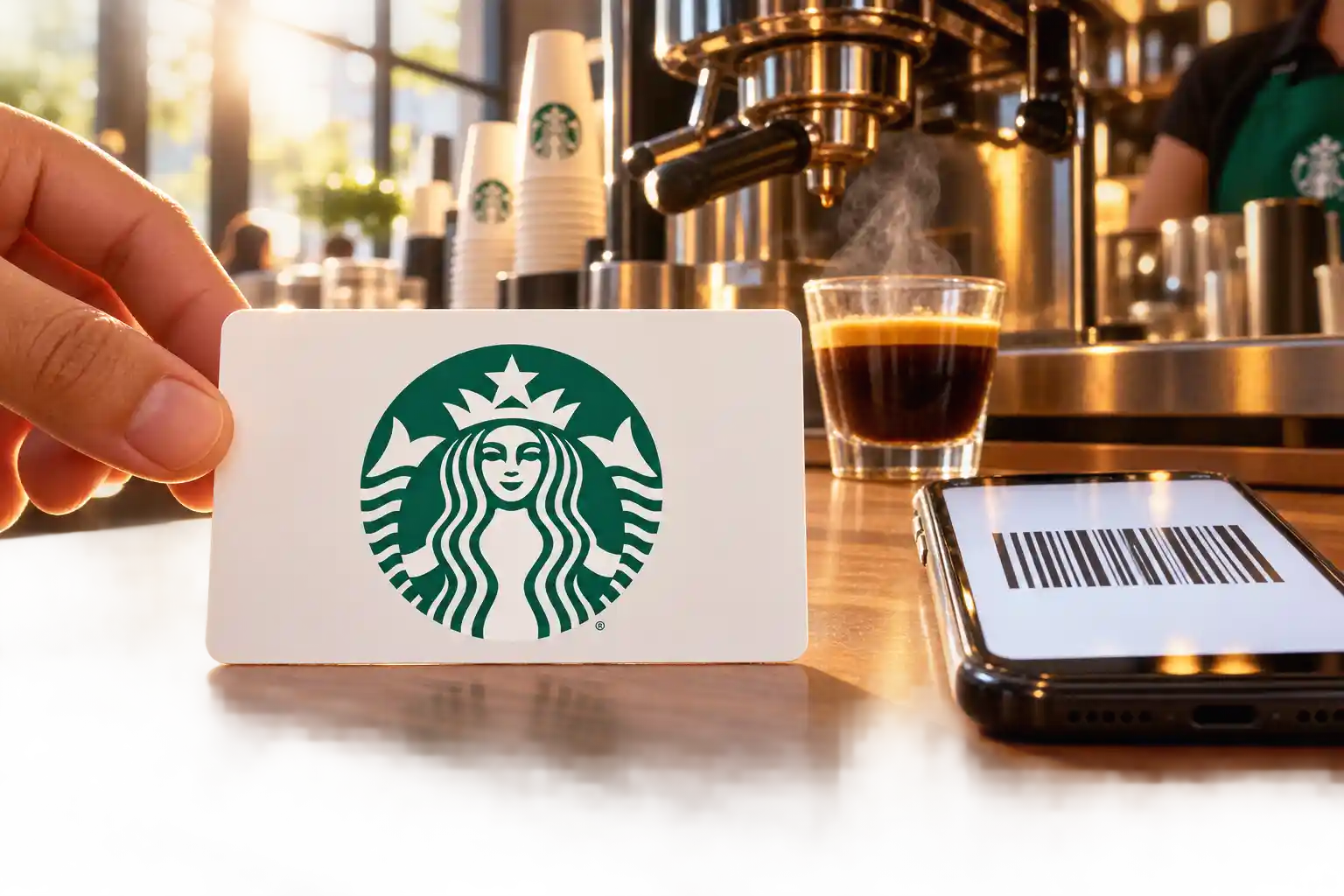
How to Add a Starbucks Gift Card to the App
The app can spend the card only after the number is saved to your account. The tab names move between app versions, and the two fields do not.
Add a Physical Card in the Starbucks App
Sign in before you type anything. A card attaches to the login you are using, and a second Rewards account is not allowed.
- Sign in to the Rewards account that should hold the card.
- Open Pay. On iPhone, Pay is on the home page and it opens your primary card. On Android, that primary card is already on the opening screen.
- Open card management and choose Add. On the website, go to starbucks.com/gift and click Add.
- Enter the 16-digit card number and the 8-digit security code, then save.
On a plastic card, the security code sits under the scratch-off panel on the back. Registration asks for a balance of at least $5. If you cannot read the number or the code, take the card to a participating store and have the balance moved onto a new card.
The plastic does not switch off when the app accepts the number. Anyone holding that card can spend it, and an auto-reload you left running can keep feeding it until you report the card lost. A card from an unofficial seller is a separate risk: a balance tied to fraud can be canceled and kept, and the agreement leaves third-party fraud with you.
Add a Starbucks eGift From the Email
The sender is charged when the eGift is bought, even if you picked a later delivery day. You then have three choices under the card agreement.
- Add the eGift: Enter the number and security code on your account, and register it for the app.
- Transfer the balance: Move the value onto a Starbucks Card you already have.
- Print it: Bring the printout into a store and pay with that page.
The email is the card. Both numbers sit in it, so anyone who is forwarded the message can spend the balance. Add it to your account instead of leaving it in the inbox. Each eGift keeps one card number no matter how many times you print the email.
A missing message can be tracked on the Starbucks eGift self-service page, by email to StarbuckseGiftCardSupport@cashstar.com, or by calling 1-800-782-7282. The sender gets an email when you open the gift message. An unused eGift can be refunded only with the original receipt.
How to Use Starbucks Gift Card on App at Checkout
Once the card is saved, that same balance pays at the counter and on an order you place before you arrive.
Scan a Starbucks Card at the Register
On an iPhone, Pay on the home page shows your primary card, and a swipe to the right brings up the others. On Android, swipe left or right from the card on the opening screen. Raise the screen brightness and let the barista scan the barcode before you pay.
Stars attach to that scan, or to paying with a linked payment through the app. A drink you already paid for another way cannot have Stars added after the fact. You can scan at any moment at the register, as long as it is before the payment goes through.
Ask, and the receipt shows what is left on the card. For a scan at the register, the barista can print that receipt after you pay. If the scanner still cannot read the code, keep the brightness high, and if it fails again, read the card number printed just below the barcode.
How to Place a Mobile Order With a Gift Card
Mobile Order and Pay sends the order to a nearby participating store so the barista can start it while you are on the way.
- Tap Order. That opens the Choose a store page.
- Pick a nearby participating store and tap Order here.
- Build the drink or the food.
- Select the Starbucks Card that should be charged, then confirm.
If that card will not cover the total, read the payment line before you confirm. Nothing in the card agreement promises that a second card or a credit card will cover the gap on its own. A receipt for the mobile order can be printed from the register at that same store for up to seven days.
How to Reload a Starbucks Card in the App
A low balance is refilled on the account you already have, as long as the caps below still have room. In the United States and Canada you can load value at a participating store, at starbucks.com/gift, in the app, or by calling 1-800-STARBUC. PayPal and Apple Pay are also listed on the Starbucks gift card balance page as ways to fund a reload. There can be a delay between the payment and the moment the new value can be spent.
On an iPhone, open Pay and swipe from right to left to reach reload and manage. On Android, start from the card on the opening screen and swipe to the card you want to fill.
These caps and floors decide whether the reload, or a later transfer, goes through. The load caps are in the card agreement. The register and transfer floors are in Starbucks customer service instructions. Amounts can change without notice.
| Limit | Amount | What it changes |
|---|---|---|
| Value on one card at one time | $500 | A reload or a transfer that would put the card over $500 is refused |
| Activity on one card in a single day | $2,000 | Activity on that card stops for the day at this total, and the balance still cannot sit above $500 |
| Value loaded on all your cards in one day, plus new cards you buy | $10,000 | Counts every card on the account and any new cards purchased that day |
| Smallest amount you can load | Typically $5 | A smaller top-up is not offered |
| Balance required to register | $5 | Below this, the card cannot be registered online |
| Balance required to transfer online | $5 or more, and the card must be registered | A smaller balance stays on its card; an unregistered card is transferred in a store |
A daily activity cap of $2,000 is not a second balance cap. You can load, spend, and load again on the same card through the day, and you still cannot hold more than $500 at any moment.
- The cap: A reload that would cross a row in the table is refused, even a small one on a nearly full card.
- The bank details: The name and billing address on the account need to match the bank, the credit card needs a current expiration date, and the security code has to be right.
- The hold: The bank can place a hold for the reload amount, and the card is charged only when the reload is completed.
- The delay: Value you just paid for can sit unused for a short time before the register will take it.
If you cancel a reload that has not finished, a reversal is requested on your behalf, and the bank decides how long its hold remains. When the name, the address, and the card details already match and the reload still fails, the next call is to your bank.
How Soon Does Starbucks Auto-Reload Happen?
You can set a calendar date or a balance that triggers a reload, and you link a credit or debit card to pay it. One email confirms those terms, and another email arrives after each reload. Changes to the settings can take up to 24 hours to apply. To stop the reloads, sign in at starbucks.com/gift or call 1-800-STARBUC at least 24 hours before the next one. Once the value is on the card, that reload cannot be reversed.
THE NEXT-DAY RELOAD
Set the minimum at $10. If the balance drops to $10 or below at 10:00 a.m. on Monday, the card reloads on Tuesday, not on Monday afternoon.
If you are in line on Monday, add money by hand or use another card. The next day is the schedule for a balance trigger, not the minute you cross the line. A manual reload asks for your username or email and your password, because the credit card on file sits in the Rewards account, so a lost phone alone cannot start a new reload. An auto-reload you already turned on can still run on its own.
As of October 2026, a digital reload bonus is listed for Rewards members who reload inside the account.
- $30 digital reload: 10 Bonus Stars.
- $50 digital reload: 25 Bonus Stars.
That bonus is for a digital reload to a card in your Starbucks account, and offers of this kind change, so read the balance page before you count on the Stars.
How to Move a Balance Between Starbucks Cards
A second gift card can stay on its own, or its value can move onto a card you already use. Adding a card leaves the value where it is. Transferring empties the source card onto another one.
Online, the card you move money from needs a balance of $5 or more, and it has to be registered. On the website the path is Account, then Card Management, then Manage, and the same tools sit in the app wherever you manage cards. A card that is not registered is transferred at a participating store.
TWO CARDS AND THE $500 LINE
The card already in the app holds $480. A new $25 gift card would bring it to $505, which is over $500, so add the $25 card and pay with it instead of transferring. A $15 gift card would bring $480 to $495, which is not over the cap, so that transfer can go through once the $15 card is registered.
Add the two balances before you tap transfer, and compare the sum with the $500 row. A remainder under the $5 transfer floor stays on its own card until you spend it by scan or with the plastic. Do not move balances from card to card only to pull the money out as cash. That use is unauthorized under the agreement.
What to Do When a Starbucks Card Is Lost
Because the plastic and the app spend the same balance, a missing card keeps working for whoever holds it until you report it. Report a registered card as soon as you can at starbucks.com/gift or by calling 1-800-STARBUC.
The registered balance is protected from the time you notify Starbucks. Whatever is left at that moment is frozen and loaded onto a replacement card. Purchases made before the report, including ones you did not make, stay your responsibility, because the agreement puts every transaction on the cardholder.
REPORT A LOST CARD IN THIS ORDER
- The login: Sign in to the Rewards account that holds the card, since a card on another login will not appear.
- The report: Open Account, then Card management, use the same tools in the app, or call 1-800-STARBUC.
- The freeze: The balance still on the card at that moment moves to a new digital card.
- The timing: Spending that happened before the report is not undone.
Starbucks does not mail a replacement card, including for a specialty or limited-edition design. An unregistered card is not replaced. A registered card with a zero balance is not replaced either. If you can still sign in, turn auto-reload off at least 24 hours before the next load so more money does not land on a card someone else is holding.
Chat help runs seven days a week from 4:00 a.m. to 10:00 p.m. Pacific, and phone help runs seven days a week from 5:00 a.m. to 8:00 p.m. Pacific.
Where Your Starbucks Card Will Work
All of that spending still depends on the store taking Starbucks Cards. Most stores in North America, including Puerto Rico, take the card, and a store that lists Digital Rewards among its amenities takes it. Certain Starbucks-branded locations may not, including some airport, grocery, and bookstore locations, and stores in Guam. Ask at that store, or check the store locator on starbucks.com, before you count on a mobile order there.
A card purchased in the United States can also be used in Canada, England, Scotland, Wales, the Republic of Ireland, Northern Ireland, Mexico, and Australia. The purchase is converted into the currency of the country where the card was sold. Starbucks does not add a conversion fee. The receipt shows the local currency, the stored balance stays in the original currency, and orders on the website are in U.S. dollars.
Loading is described for the United States and Canada. Spending a U.S. card in the other countries on that list is a separate permission. Your bank can still charge its own fee if you reload with a credit or debit card outside the United States, and Starbucks does not set that fee or keep any part of it.
Why Does a Starbucks Card Balance Look Wrong?
When the total on the register and the number on your phone do not match, check which screen you are trusting before you reload again.
Apple Wallet and the Starbucks App Balance
As of the January 2026 customer service note, Apple Wallet is not compatible with the Starbucks app and will not show the right balance. Check the balance and the recent transactions inside the Starbucks app, and use that number with the barista.
Paying for a reload with Apple Pay is a different tool. It is one way to fund a reload on the balance page, not the old pass sitting in Wallet. A Wallet total that disagrees with the app is the pass being out of date, not a second balance.
A Starbucks Card Balance That Has Not Updated
On the gift card balance page, the balance is described as refreshing on its own every 4 hours. A purchase or a reload can also sit in the gap the card agreement describes, between the moment you pay to load value and the moment those funds can be spent.
Open the in-app balance before you treat a receipt and a lock screen as a fight. If both the app and the receipt show a charge you do not recognize, the dispute window in the questions below is the clock that matters.
A Card Number or Security Code the App Rejects
Enter all 16 digits and all 8 digits. The code on plastic is under the scratch-off coating, and the code on an eGift is printed below the card number, with no foil to scrape. If either number cannot be read, a store can transfer the balance onto a new card.
If the app cannot find a card you already added, sign in to the Rewards account where it was registered. Pay shows only the cards on that login. One card cannot live on two accounts at once, so the other email you have used for Starbucks is the first place to look.
Frequently Asked Questions
Can You Cash Out a Starbucks Gift Card?
You generally cannot cash out a Starbucks gift card. The card agreement says the value is nonrefundable and may not be turned into cash unless the law requires it or the agreement allows it. Moving balances between cards only to get cash back is unauthorized use, and those cards can be canceled with the balances kept. An unused eGift can be refunded, and only when you still have the original receipt.
How Long Do You Have to Dispute a Starbucks Card Charge?
Call 1-800-STARBUC within 60 days of the charge and include enough detail for a review. An error that shows up in that review gets corrected, and a claim with no error gets an explanation of what turned up. A billing claim that arrives after those 60 days is one the agreement does not require Starbucks to review.
What If You Reject a Change to the Card Agreement?
Write to Starbucks within 20 days of the notice if you do not accept a change, and the cards will be canceled with the remaining balance refunded. The revised agreement is posted on the Starbucks website, with a notice up for 30 days. Using a card after that notice period counts as acceptance, and the new terms can apply to cards you already hold.
Can Starbucks Keep the Balance on a Canceled Card?
Cards can be canceled and the balances kept when the value came from fraud or other unlawful activity, or when balances were moved between cards only to obtain cash back. If the agreement is ended without cause, the refund or store credit equals the balance minus anything you owe. Other disputes go to individual arbitration after the agreement’s informal notice process, the agreement includes a class action waiver, and small claims court remains available when the case stays there.
Register the card while the number and the security code are still yours to enter. If the card goes missing, report it before the next purchase or a scheduled reload, because the freeze covers only the balance left when you reach Starbucks.

Another IndiGo Radome Splits After a Normal Lucknow Landing

Apple Will Make Full Disk Access an Explicit Mac Grant

Chainalysis AI Traced the Bitget Hack in 10 Minutes

Yapily Sits Out Open Banking Deals After Turning a Profit

Google’s Gemini 4 Argon Goes to Cyber Defenders First

BMW’s Heated Seat Retreat Taught Automakers Which Fees Survive

Nashville Votes for a Dolly Parton Airport It Has Not Named

Tesla Burns AI Cash While SpaceX Sends the Invoices

Copilot’s Election Problem Shifted From Errors to Silence

John Ternus Debuts a $2,099 Foldable and Holds iPhone 18
-
 AUTO3 years ago
BMW’s Heated Seat Retreat Taught Automakers Which Fees Survive
-
 ENTERTAINMENT2 months ago
Nashville Votes for a Dolly Parton Airport It Has Not Named
-
 NEWS2 months ago
Tesla Burns AI Cash While SpaceX Sends the Invoices
-
 NEWS3 years ago
Copilot’s Election Problem Shifted From Errors to Silence
-
 NEWS2 months ago
John Ternus Debuts a $2,099 Foldable and Holds iPhone 18
-

 NEWS2 months ago
The Book on China’s Car Brain Still Stars Infineon
-
 TECHNOLOGY3 years ago
How to Find Saved Audio on Facebook?
-

 ENTERTAINMENT2 months ago
Dolly Parton Laid to Rest as the Public Funeral Began